
How to Get Professional Results from AI Tools
Artificial Intelligence has shifted from a futuristic concept to an everyday utility. Whether you are using an AI Image Generator to create marketing assets or an AI Email Assistant to handle customer service, the quality of your output depends entirely on one thing: The Prompt.
At anytool.site, we’ve integrated powerful AI models to help you work faster. But to move from “generic” results to “professional” outcomes, you need to understand the art of prompt engineering. Here is how to master it.
1. The Anatomy of a Perfect Image Prompt
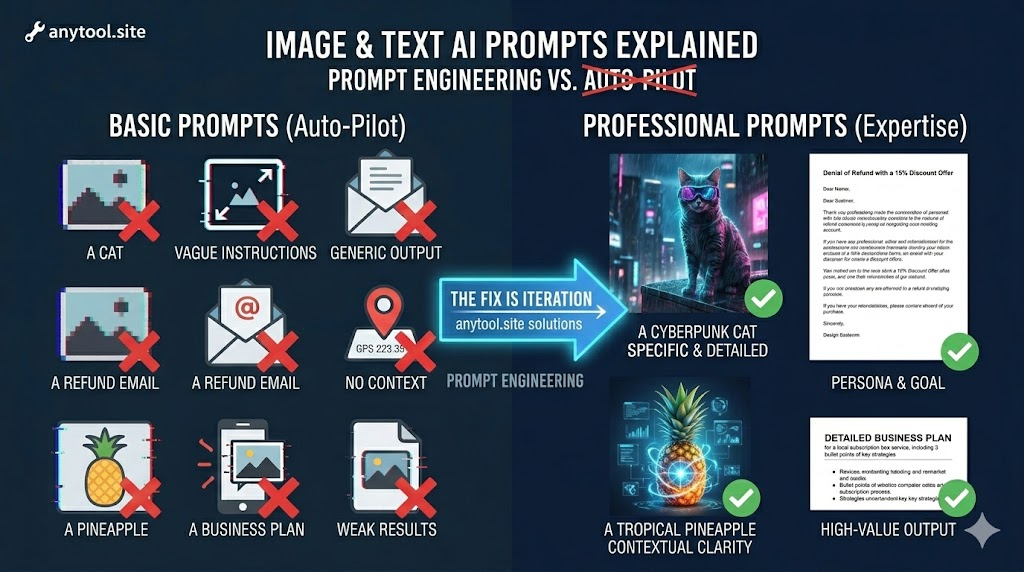
When using our AI Image Generator, many users make the mistake of being too brief (e.g., “a cat”). To get gallery-quality results, follow this formula:
- Subject: What is the main focus? (e.g., A cyberpunk cat)
- Action/Context: What is it doing? (e.g., wearing neon goggles, sitting on a rainy skyscraper ledge)
- Style/Medium: Is it a photo, a painting, or 3D render? (e.g., hyper-realistic photography, cinematic lighting)
- Technical Details: What are the camera settings? (e.g., 8k resolution, macro lens, shallow depth of field)
The Result: Instead of a flat clip-art cat, you get a breathtaking, high-fidelity visual asset ready for your website.
2. Using AI for Professional Communication
Our AI Email Assistant is designed to save you hours of typing. However, “context is king.” When generating an email, provide the AI with a “Role” and a “Goal.”
- Weak Prompt: “Write a refund email to a customer.”
- Professional Prompt: “Act as a Customer Service Manager. Write a polite but firm email to a customer denying a refund request because the 30-day window has passed, but offer a 15% discount code for their next purchase.”
By giving the AI a persona and a specific constraint, you ensure the tone matches your brand perfectly.
3. The “Iteration” Secret
The first result is rarely the final one. The beauty of browser-based AI tools at anytool.site is the ability to tweak and regenerate.
- If an image is too dark, add “bright morning sunlight” to the prompt.
- If an email is too long, ask the assistant to “summarize this into three bullet points.”
4. Why Use anytool.site for AI?
Many AI platforms are buried behind complex interfaces or expensive subscriptions. We’ve streamlined the process:
- No Setup: Access state-of-the-art models (like Stable Diffusion or high-level LLMs) directly in your browser.
- Privacy: As discussed in our previous posts, we prioritize ephemeral processing, keeping your creative prompts and outputs secure.
AI tools are force multipliers. They don’t replace your creativity; they accelerate it. By learning to communicate effectively with these models, you turn anytool.site into your ultimate digital headquarters.