
How to Write the Perfect Professional Email in 60 Seconds
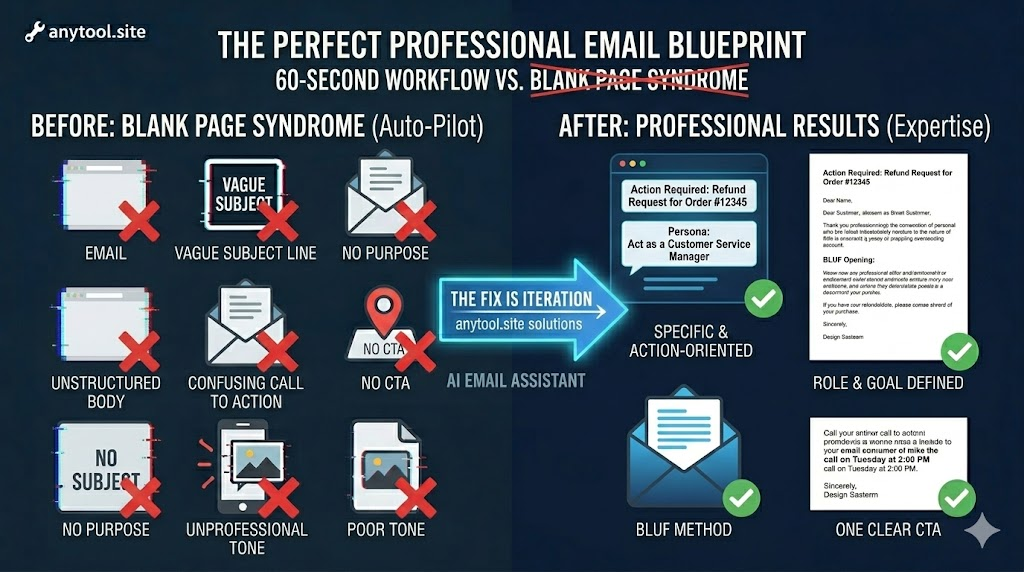
We spend an average of 28% of our workweek reading and responding to emails. For many professionals and students, the “blank page syndrome”—staring at a flashing cursor while trying to strike the right tone—is a major productivity killer.
At anytool.site, we’ve developed an AI Email Assistant to solve this. But even with AI, knowing the fundamentals of a “Perfect Email” ensures your communication is clear, persuasive, and professional. Here is the blueprint for a 60-second masterpiece.
1. The “Hook” Subject Line
Most people decide whether to open an email based on the subject line alone.
- The Mistake: Vague subjects like “Quick question” or “Meeting.”
- The Fix: Be specific and action-oriented.
- Bad: “Refund.”
- Good: “Action Required: Refund Request for Order #12345.”
2. The Power of the “Role”
When you use the AI Email Assistant at anytool.site, the first thing you should define is the “Persona.” Are you writing as a supportive manager, a firm debt collector, or a creative freelancer?
- Pro-Tip: Match your tone to the recipient. If it’s a first-time reach-out, stay formal. If it’s a long-term colleague, keep it brief and friendly.
3. The “BLUF” Method (Bottom Line Up Front)
Don’t hide your request in the third paragraph. Busy people skim.
- The Strategy: State the purpose of the email in the first two sentences.
- Example: “I am writing to request a project extension until Friday, March 6th. This will allow us to include the latest data from the marketing team.”
4. One Clear Call to Action (CTA)
An email without a clear next step is just noise. Every professional email should end with a specific request.
- Avoid: “Let me know what you think.”
- Use: “Are you available for a 10-minute call on Tuesday at 2:00 PM to finalize this?”
5. Leverage AI for the “Heavy Lifting”
If you’re struggling with grammar or “sounding professional,” let our AI Email Assistant do a draft for you.
- Input the core facts (The “Who, What, Why”).
- Select the desired tone (e.g., “Marketing Writer” or “Customer Service”).
- Let the AI generate the structure, then tweak the final sentences to add your personal touch.
6. The 10-Second Proofread
Before hitting send, check for the “Big Three”:
- Attachments: Did you actually attach the file? (Use our PDF tools if the file is too large!)
- Names: Is the recipient’s name spelled correctly?
- Dates: Are the deadlines clear?
Professional communication doesn’t have to be a chore. By combining a structured approach with the power of the AI Email Assistant at anytool.site, you can clear your inbox in record time and get back to the work that actually matters.